SPARSH Projected Tax Summary
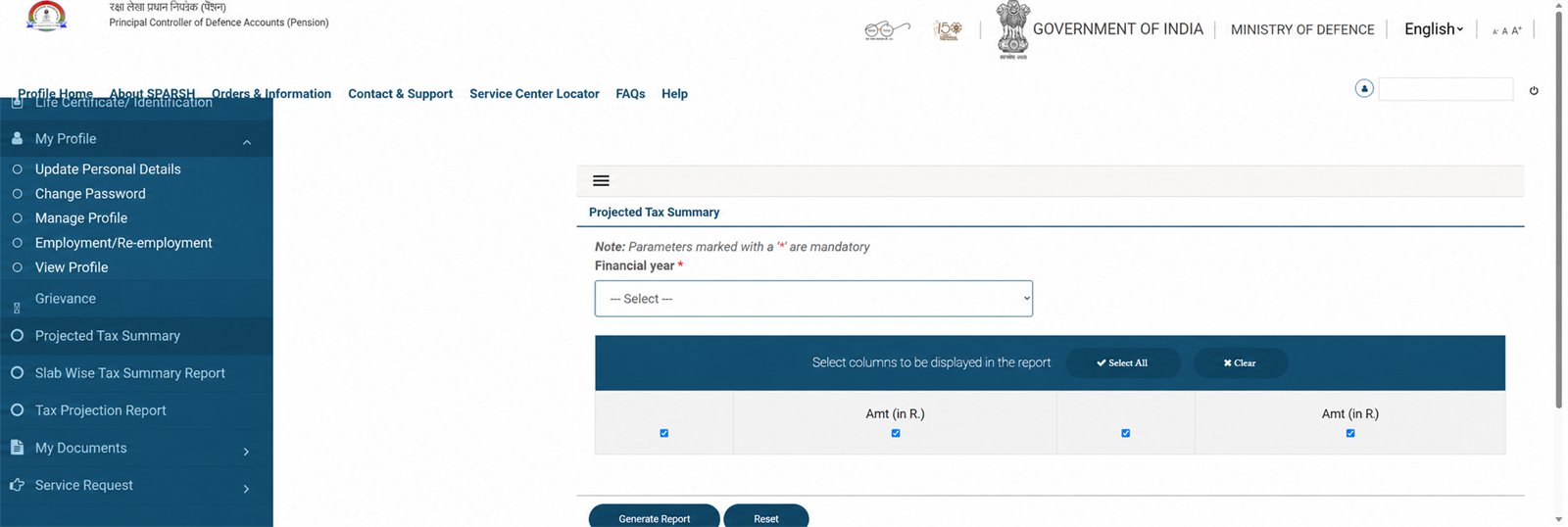
Open Projected Tax Summary
After login, use the left menu and choose Projected Tax Summary.
Choose the financial year
Select the required year. Check it twice before generating the report.
Select report columns
Use the available column controls only if needed, then choose Generate Report.
Use the right report
The menu may also show Slab Wise Tax Summary Report and Tax Projection Report; these are separate views.
Protect the file
Tax reports can reveal pension and income information. Store them securely and do not post unredacted copies publicly.
Tax note
This guide only explains portal navigation. Verify tax treatment with an authorised tax professional or official rules.
Related: Employment declaration · Account guide