SPARSH forgot password: reset it with OTP
Keep your SPARSH user ID and the registered mobile/email ready. Open only sparsh.defencepension.gov.in. The portal sends OTPs and the one-time/default password to the registered contact details.
These are real portal screenshots supplied by a pensioner. User ID and account-holder name have been permanently covered; no OTP or password is shown.
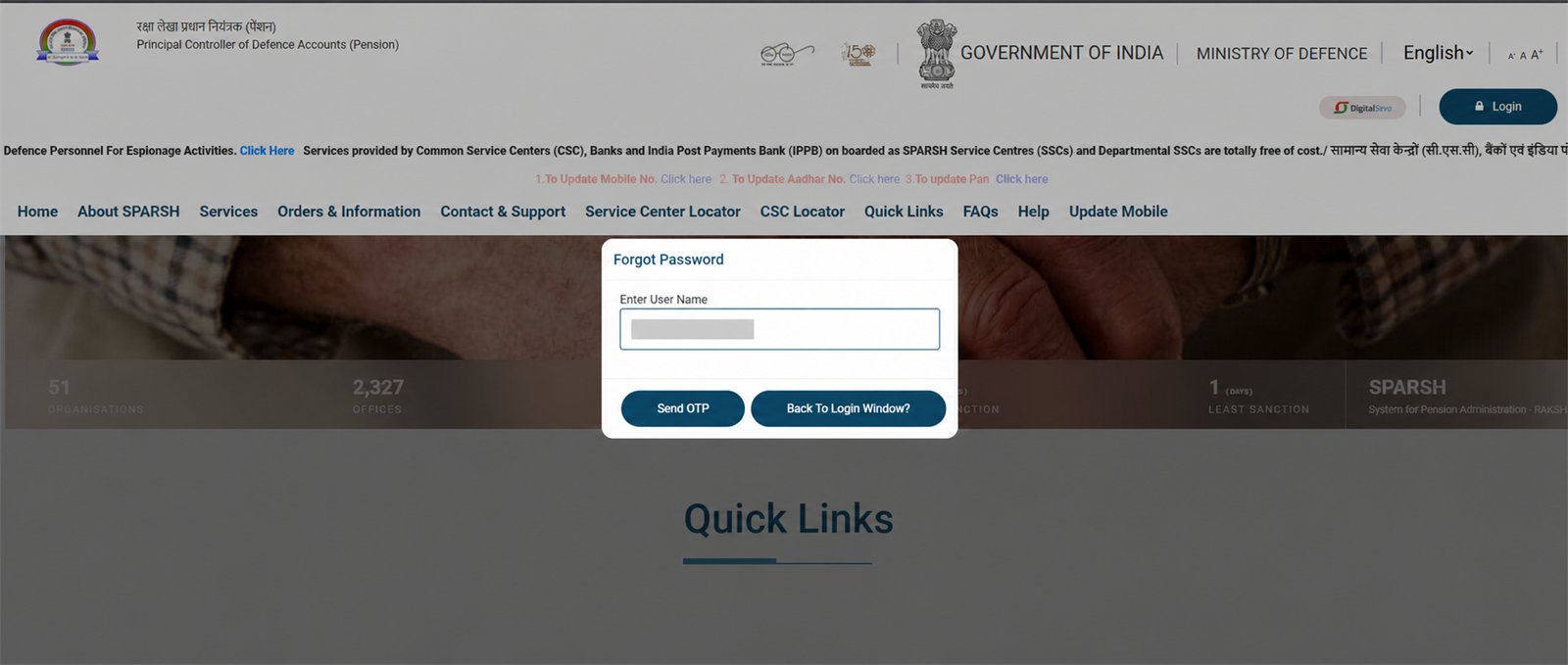
1 Enter user ID and tap Send OTP
On the login window choose Forgot Password, type your SPARSH user ID, then select Send OTP.
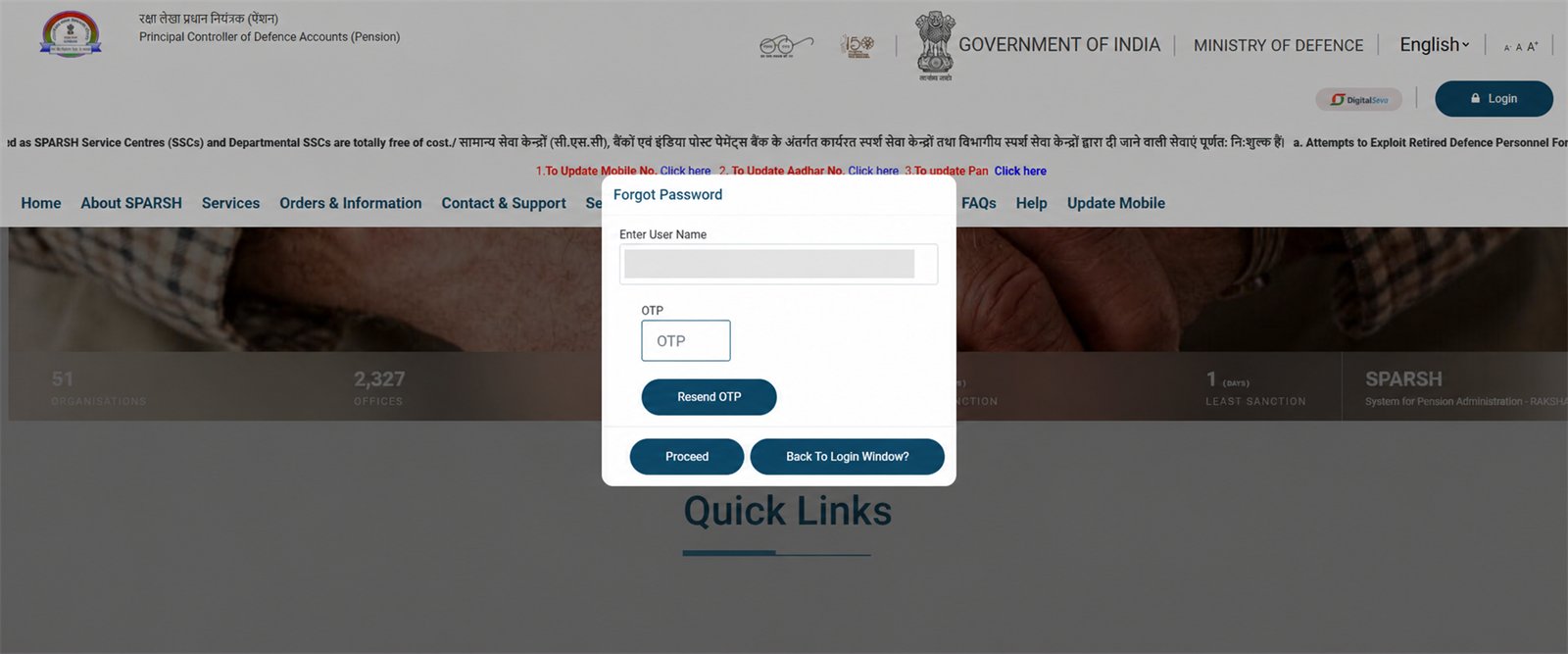
2 Enter OTP and proceed
Enter the OTP received on your registered mobile/email and choose Proceed. Use Resend OTP only if the first message does not arrive.
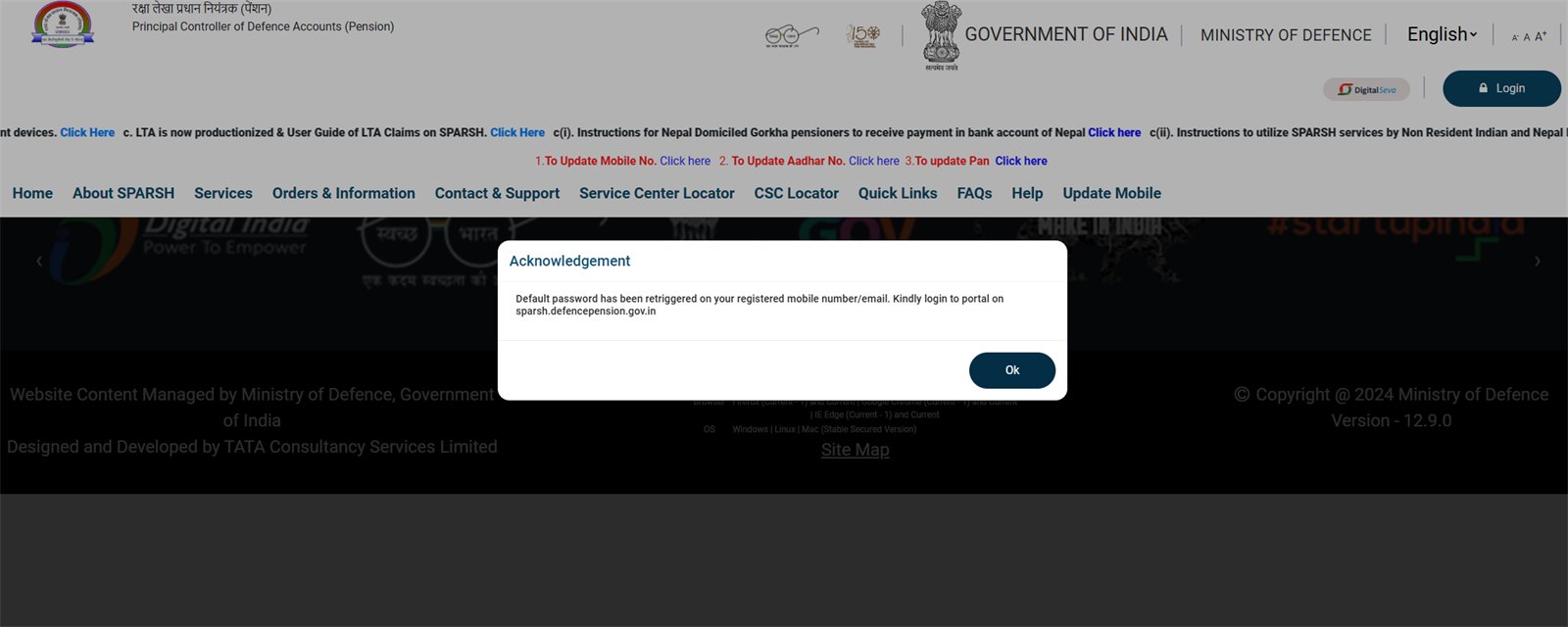
3 Check the acknowledgement
The portal confirms that a default/one-time password has been sent again to your registered mobile/email. Tap OK and return to login.
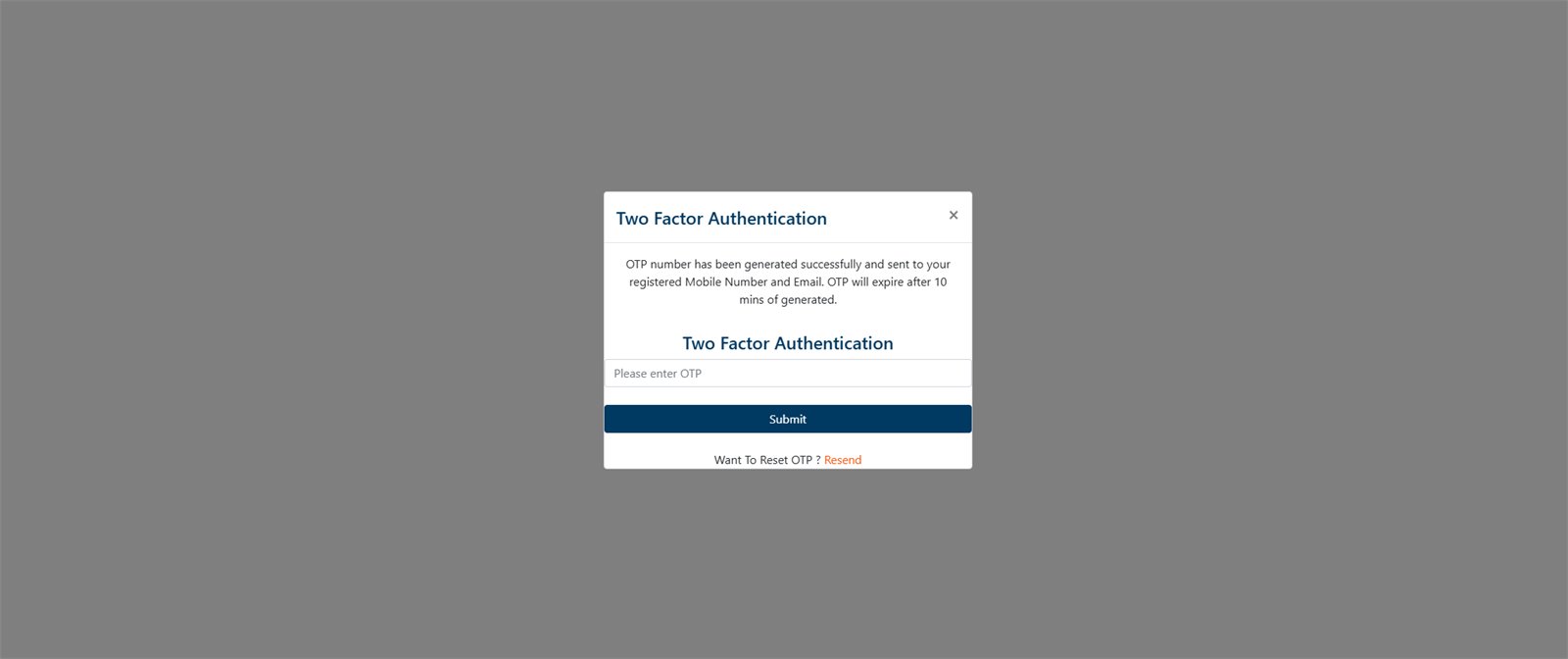
4 Log in, then complete 2FA
Use the one-time/default password to log in. Enter the fresh two-factor OTP and submit it within the 10-minute validity shown on screen.
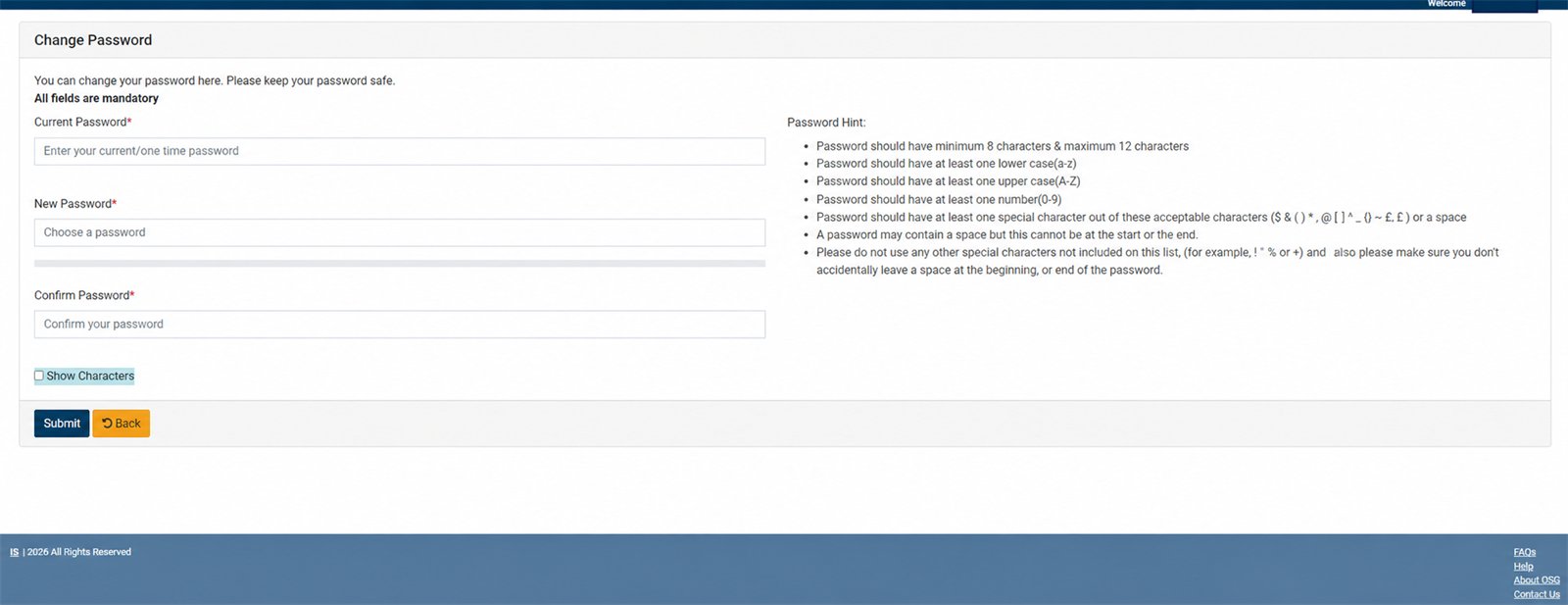
5 Create your new password
In Current Password, enter the one-time/default password. Then enter the same new password in New Password and Confirm Password. Follow the on-screen rule: 8–12 characters with lower-case, upper-case, a number and an allowed special character; no space at the beginning or end.
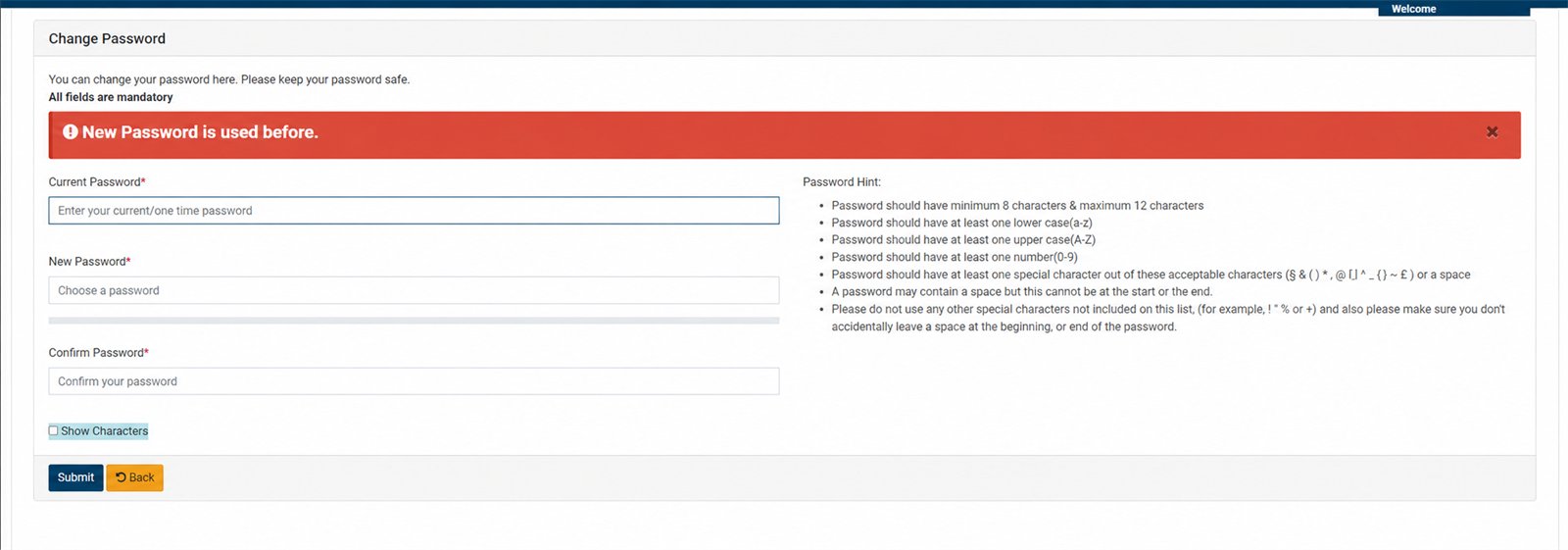
6 If “New Password is used before” appears
SPARSH does not accept that previously used password. Choose a genuinely new password that still follows the displayed rules, confirm it and submit again.
If OTP or password does not arrive
- Wait a few minutes, check SMS and email spam, then use Resend once.
- Make sure you are checking the mobile/email registered in SPARSH.
- If you no longer have access to it, use the official Update Mobile or Contact & Support route on SPARSH, or visit a listed SPARSH Service Centre.
Security warning
Never tell anyone your OTP, one-time password or new password—not even someone claiming to be from SPARSH. Do not send screenshots containing your user ID or name. Sainik Desk cannot reset an account; the action must happen on the official portal.
Related: Download pension slip · Download PPO · Life certificate guide