SPARSH Commutation Details
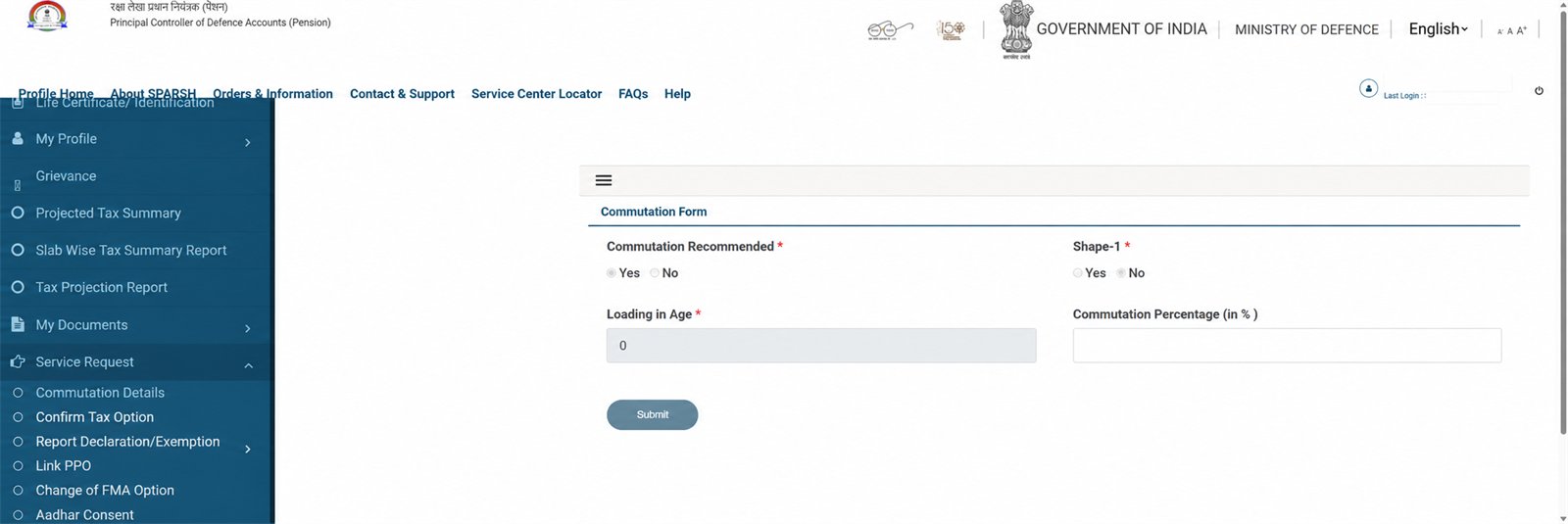
Open the service request
Use Service Request → Commutation Details.
Read the displayed fields
The captured screen shows Commutation Recommended, Shape-1, Loading in Age and Commutation Percentage. Treat these as official account values, not editable calculator inputs.
Compare, do not overwrite
For a private estimate, use the calculator below. A calculator result cannot replace a PPO, sanction or portal record.
Raise a correction only with proof
If the portal value appears wrong, follow the available service-request workflow or official support and keep the acknowledgement number.
Important
No portal value was changed or submitted during capture. Confirm any discrepancy from your PPO and official records.
Related: Account guide · PPO guide