SPARSH pensioner account: पूरा visual guide
Login के बाद मुख्य काम My Profile, My Documents, Grievance और Service Request में होते हैं। काम केवल sparsh.defencepension.gov.in पर करें।
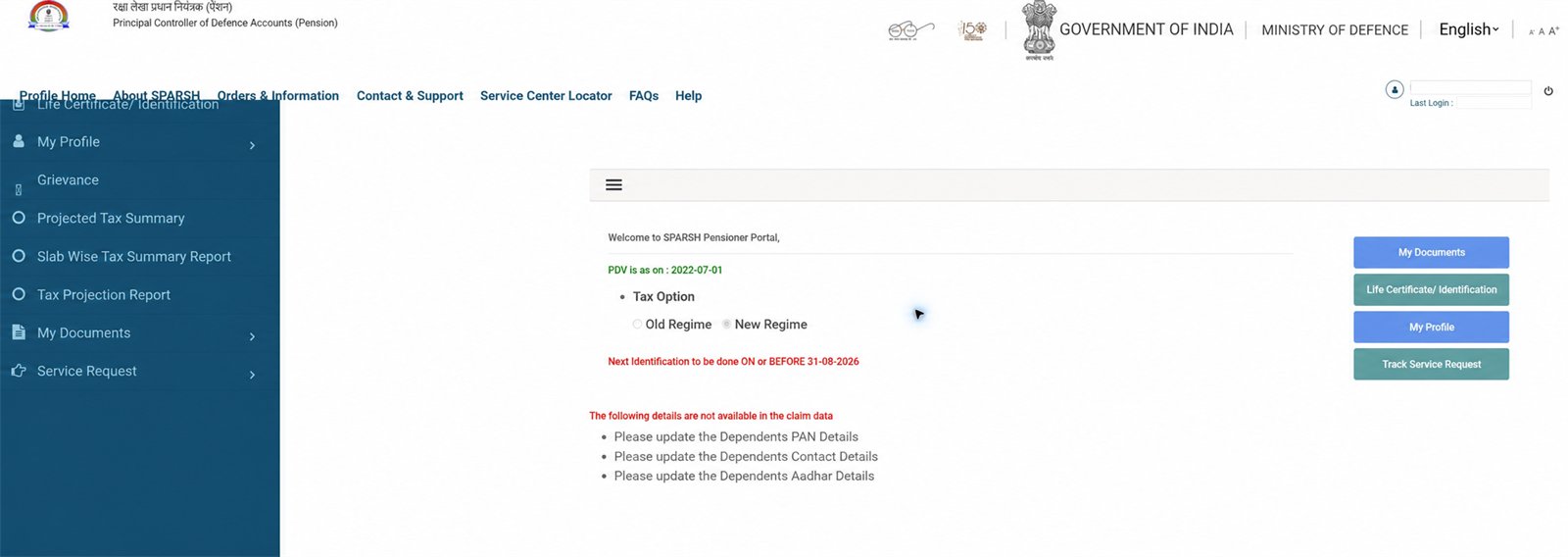
1 Profile Home से शुरू करें
यहाँ tax option, अगली identification date, missing dependent details और My Documents, Life Certificate, My Profile तथा Track Service Request shortcuts मिलते हैं।
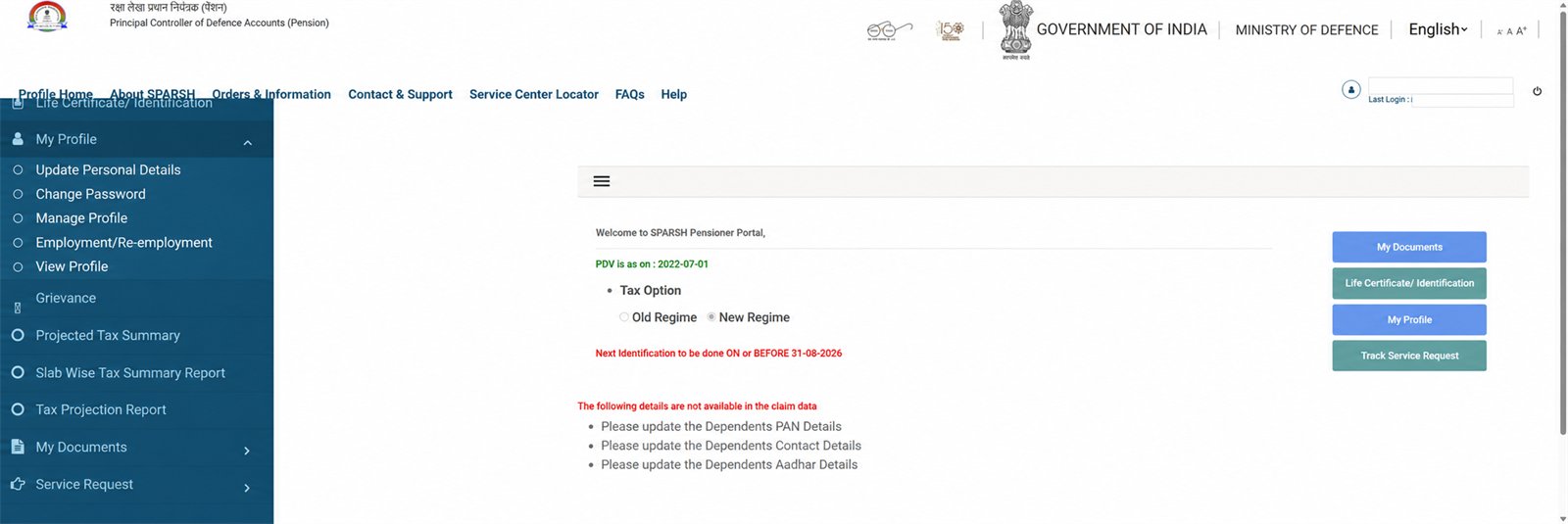
2 My Profile
Update Personal Details, Change Password, Manage Profile, Employment/Re-employment और View Profile यहाँ हैं। Final confirmation से पहले हर बदलाव दोबारा जाँचें।
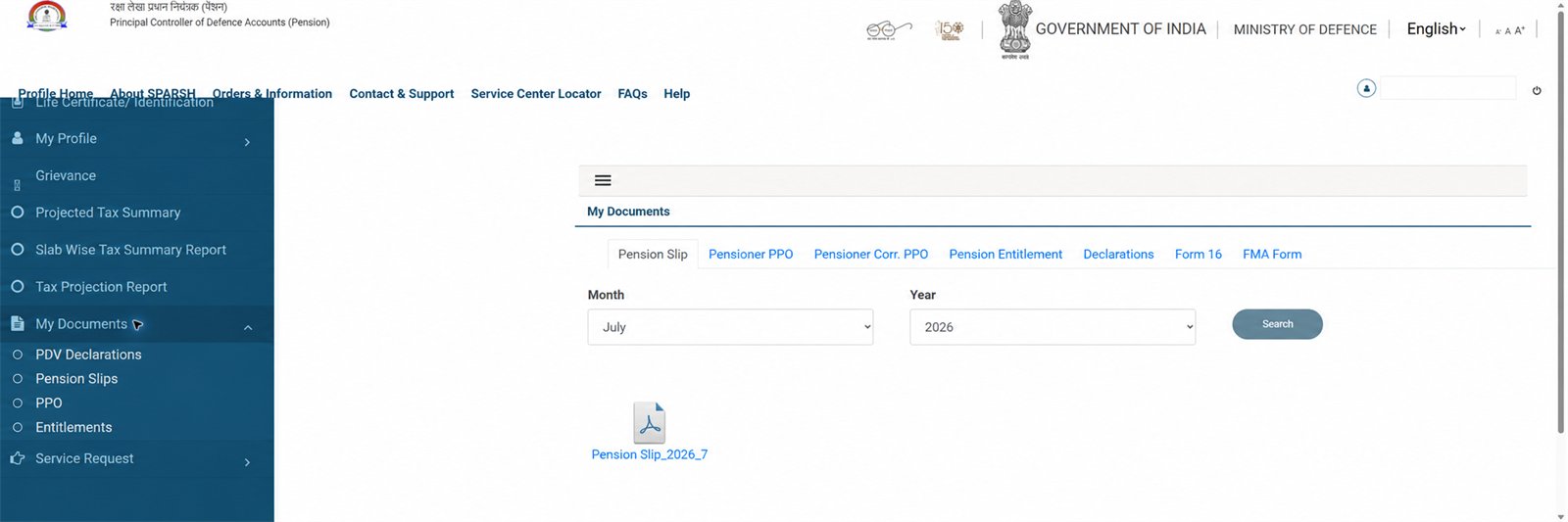
3 My Documents
Pension Slip, Pensioner PPO (पेंशन भुगतान आदेश), Corr. PPO, Pension Entitlement, Declarations, Form 16 और FMA (दवा-इलाज का महीने वाला भत्ता) Form यहाँ मिलते हैं। Slip के लिए month/year चुनकर Search करें।
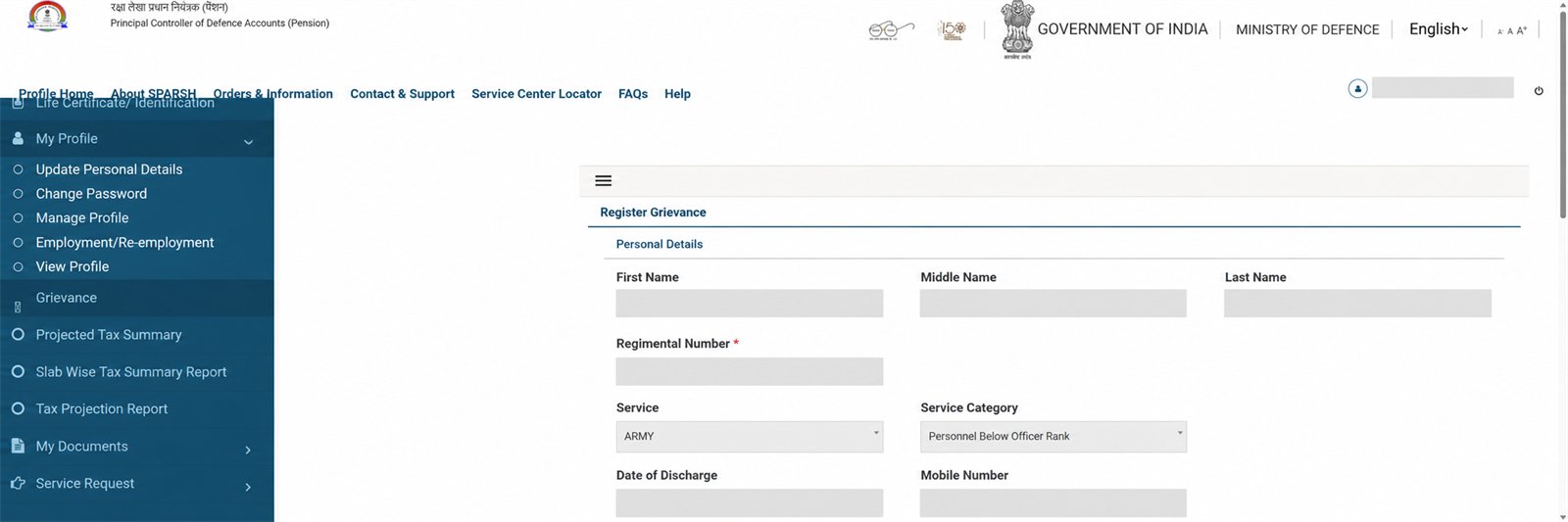
4 Grievance दर्ज करें
Category और issue चुनें—Elements of Pension, Elements not sanctioned या Deduction—फिर साफ comment और जरूरत हो तो permitted attachment लगाएँ। दो बार submit न करें; grievance number संभालें।
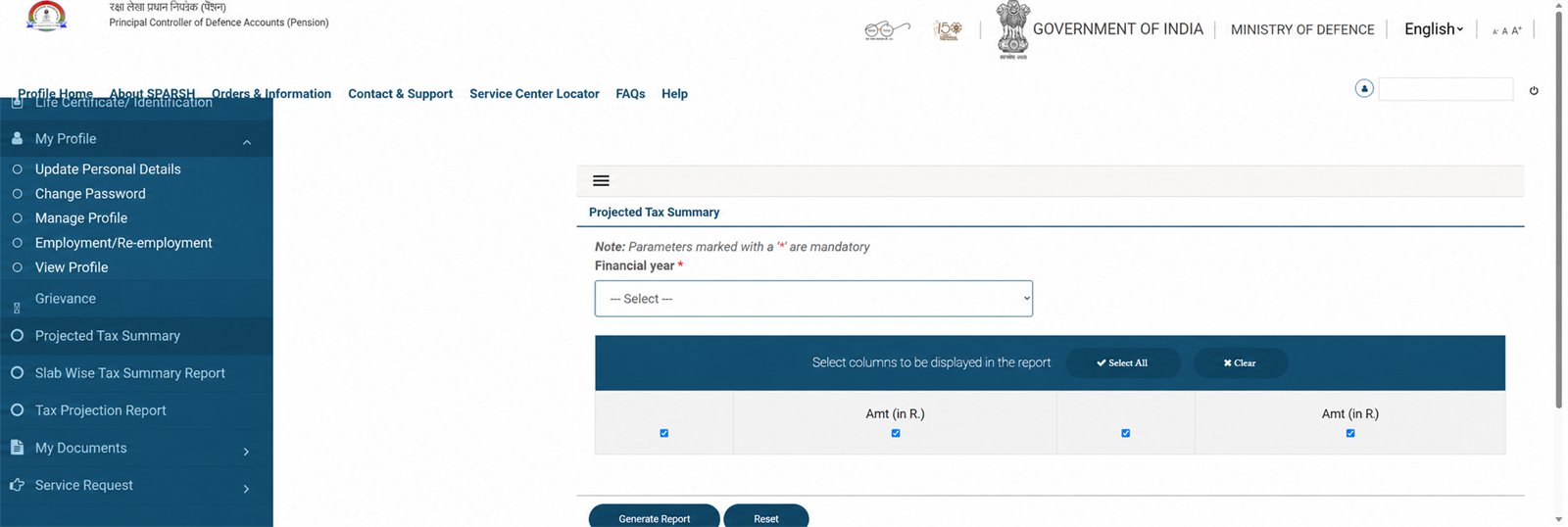
5 Projected Tax Summary
Financial year चुनें, जरूरी columns selected रखें और Generate Report दबाएँ। साथ के menus में slab-wise और tax-projection reports हैं।
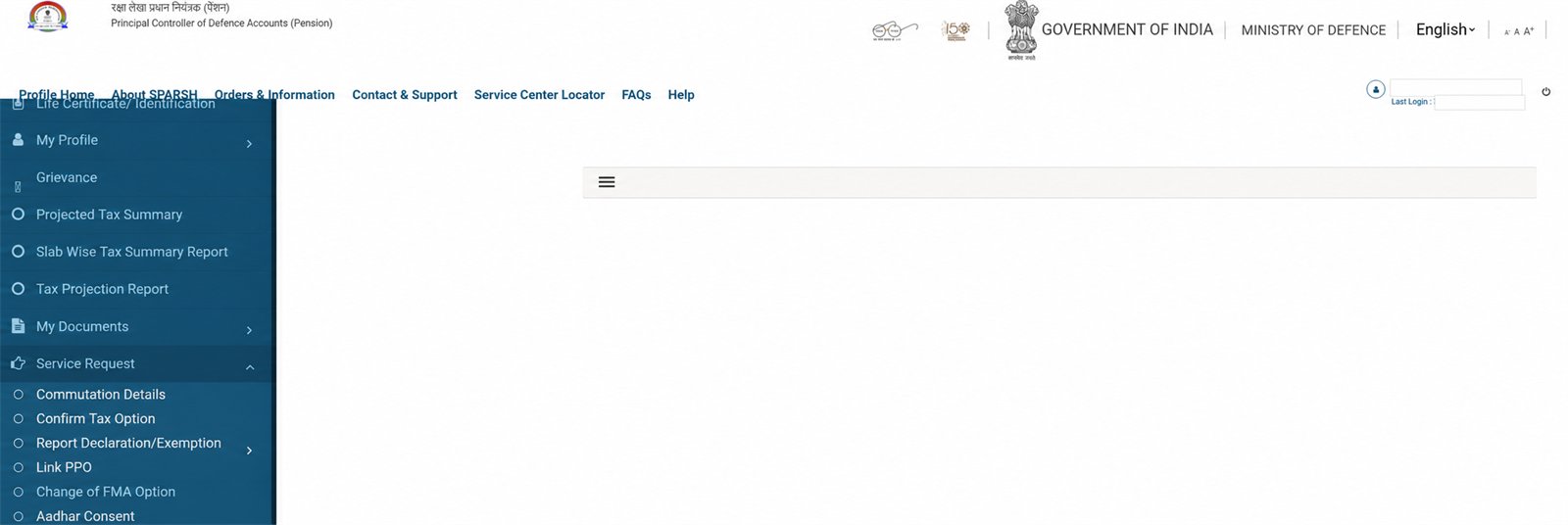
6 Service Request menu
Commutation (पेंशन का हिस्सा अभी एकमुश्त ले लेना), Confirm Tax Option, Declaration/Exemption, Link PPO, FMA option, Aadhaar Consent, Pensioner Timeline और tax rebate के काम यहाँ हैं।
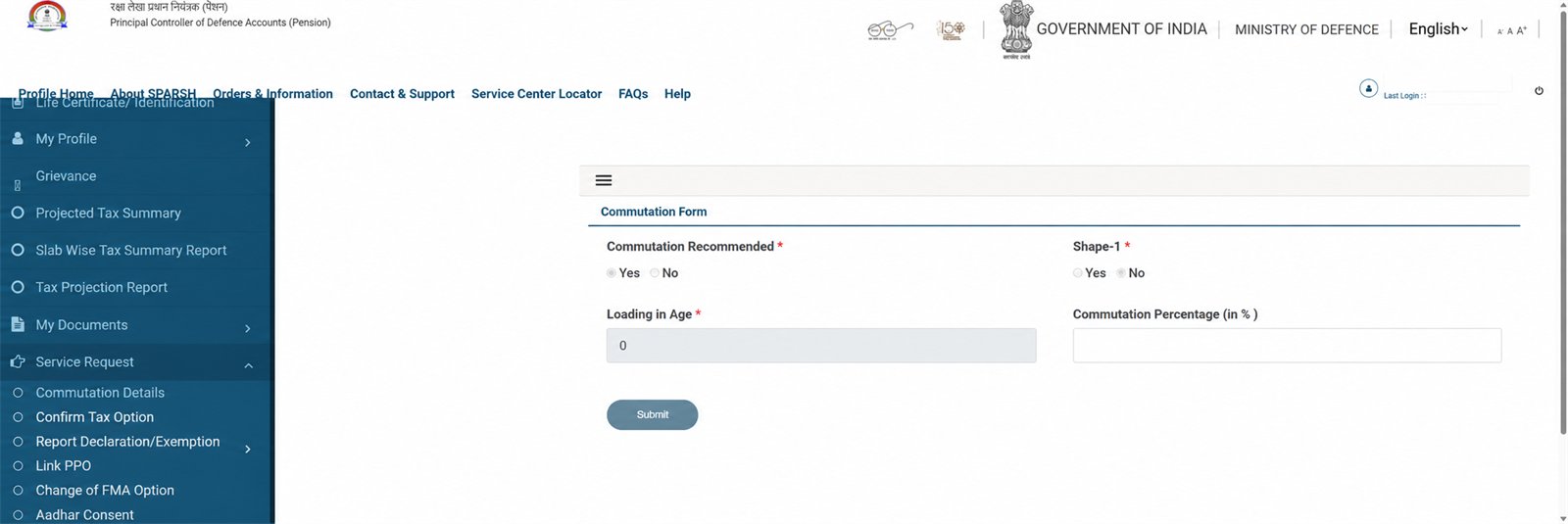
7 Commutation Details
Service Request → Commutation Details खोलें। Recommendation और Shape-1 status देखें; form active हो तभी permitted percentage भरें। यह account request है, estimate calculator नहीं।
अगले अलग guides
- Mobile/Personal Details update और document checklist
- Grievance/Service Request status track करना
- Life Certificate status और identification date
- FMA option तथा Employment/Re-employment declaration
Privacy और सुरक्षा
नाम, PPO/user ID, regimental number, mobile, email, Aadhaar, bank details, pension amount, OTP या password वाला screenshot कभी share न करें। Sainik Desk account नहीं खोलता और request submit नहीं करता।
और पढ़ें: Password reset · Pension slip · PPO · Commutation calculator